Earn. Reward. Repeat.
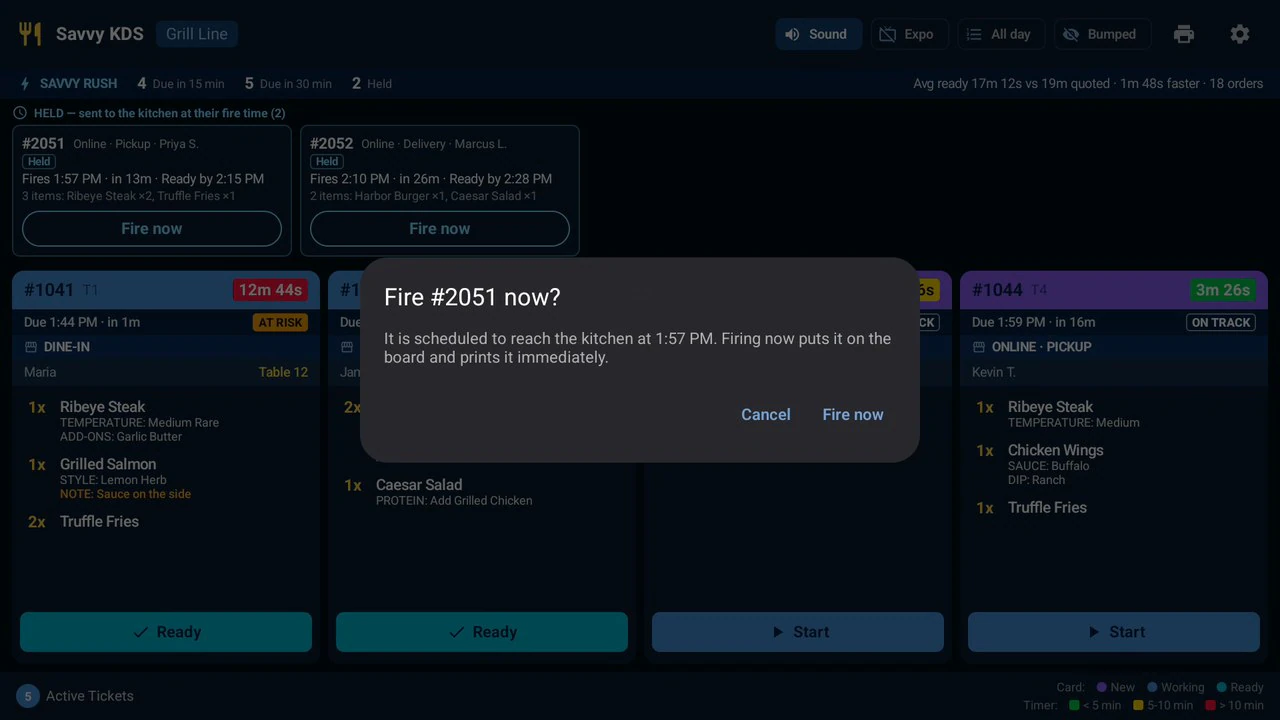
Kitchen display system that routes orders to every station
Kitchen display (KDS)
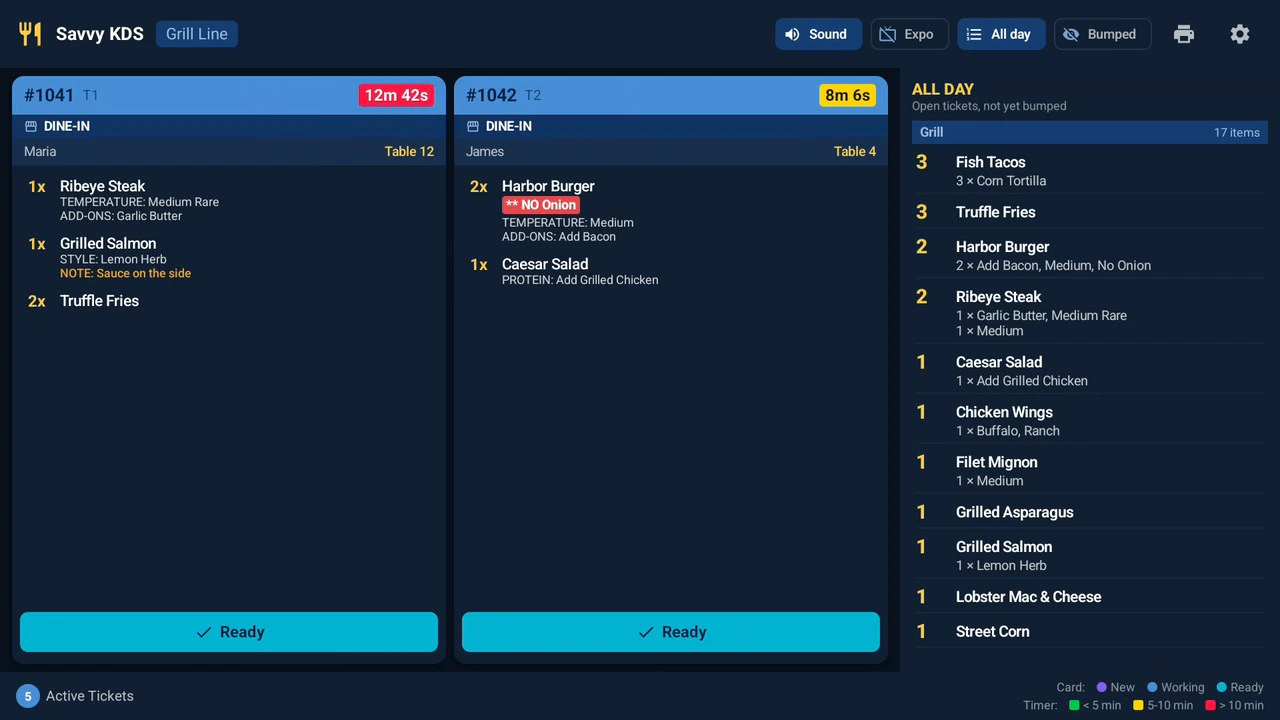
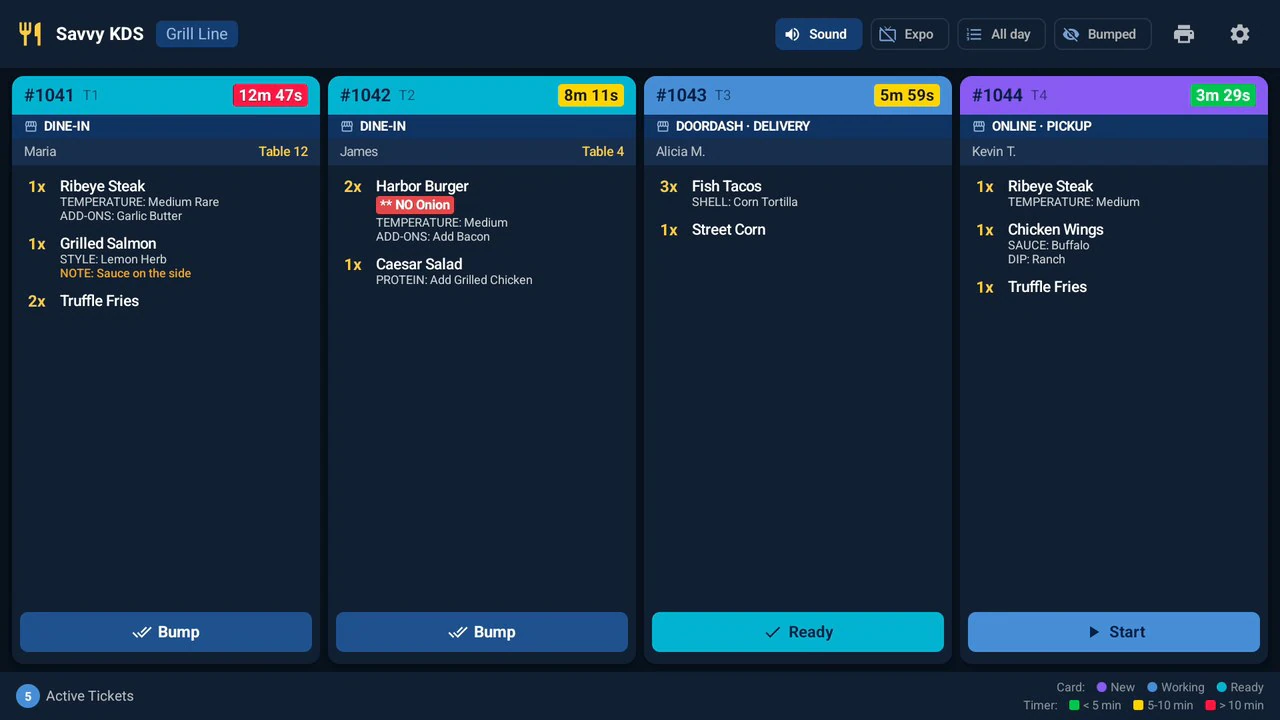
Tickets go to the right kitchen station screen the moment they are ordered, with timers, bump and recall.
The problem
Paper tickets get lost, stations shout across the line, and online orders show up on a separate tablet.
What it does
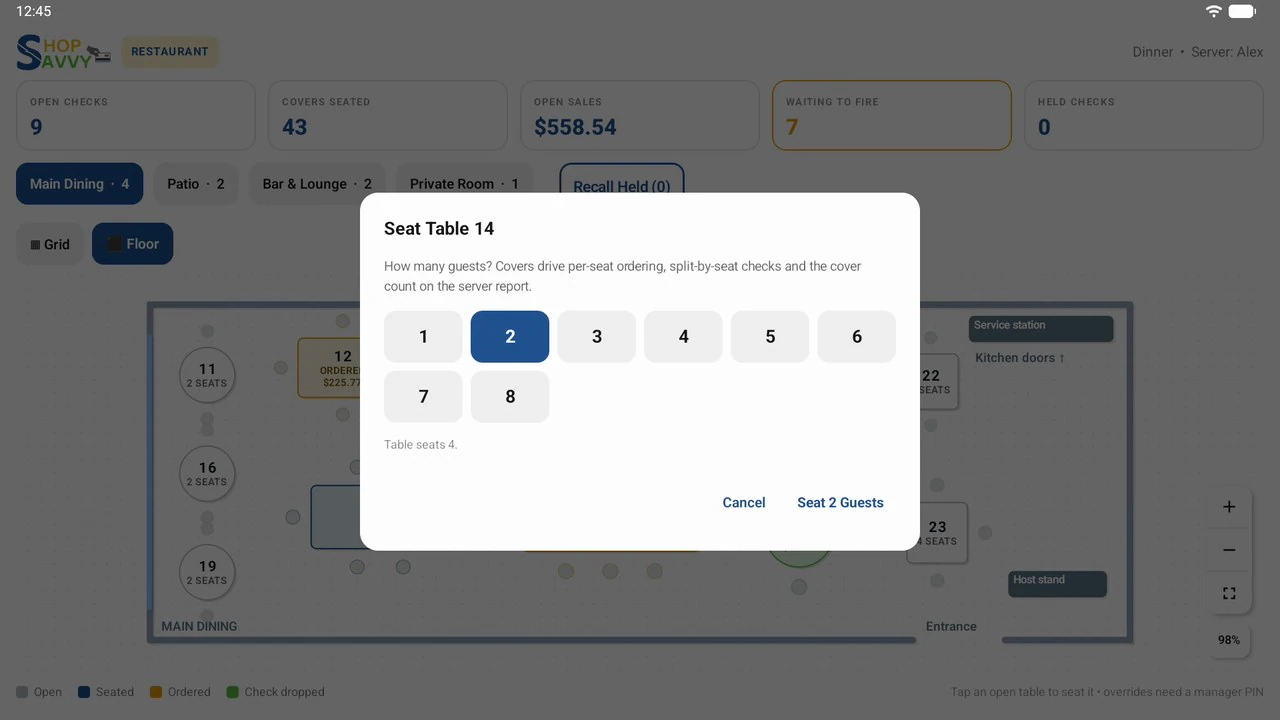
Kitchen display (KDS), part of Savvy POS.
Station routing
Each item goes to the station that makes it, such as grill, fryer or bar.
One queue for every channel
Register, kiosk, QR table, online and app orders appear on the same screens.
All Day totals
See how many of each item are open across tickets.
Print rules by channel
Choose which order channels print a kitchen ticket and where.
Order-ready texts
When a pickup order is bumped ready, a customer who agreed to texts gets one message.
How it works
Three steps.
1
Set up your stations and which items go where.
2
Mount an Android screen at each station.
3
Cooks bump tickets as they finish.
Questions
Common questions.
Do kitchen screens cost extra?
Kitchen displays are not counted as billable devices.
Which plans include the kitchen display?
It is part of Savvy Pro and Savvy Elite for Point of Sale.
Goes well with
Get more from Kitchen display (KDS).
Add-onSavvy RushPuts the ready time each customer was promised on the same screen, and holds scheduled orders until it is time to cook.See Savvy Rush Savvy POSOnline ordering and deliveryOnline and app orders join the counter's queue, and bumping a pickup ready can text the customer who opted in.See Online ordering and delivery Savvy POSKiosk and self-checkoutKiosk orders reach the same station screens as register orders, so more ordering points add no new screen to watch.See Kiosk and self-checkout
Earn. Reward. Repeat.
See it run your business.
A Swipe Savvy specialist walks you through it on your own menu, schedule or memberships.